Operating Systems
________________________________
Unsupported - Not recommended, install at your own risk.
________________________________
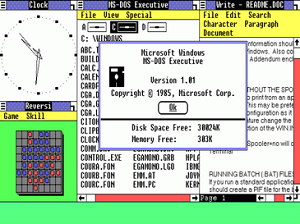
Windows 1.0 is a graphical personal computer operating environment developed by Microsoft. Microsoft had worked with Apple
Computer to develop applications for Apple's January 1984 original Macintosh, the first mass-produced personal computer with a
graphical user interface (GUI) that enabled users to see user friendly icons on screen. Windows 1.0 was released on November 20,
1985, as the first version of the Microsoft Windows line. It runs as a graphical, 16-bit multi-tasking shell on top of an existing
MS-DOS installation.
1. DOWNLOAD THE FILE.
2. PUT THE IMAGES ONTO THE FLOPPY, OR INTO THE VM SOFTWARE.
3. PUT THE FLOPPY IN, OR START THE VM SOFTWARE FROM THE IMAGES.
4. INSTALL WINDOWS.
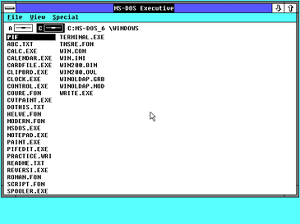
Windows 2.0 is a 16-bit Microsoft Windows GUI-based operating environment that was released on December 9, 1987, and is the
successor to Windows 1.0.
1. DOWNLOAD THE FILE.
2. PUT THE IMAGES ONTO THE FLOPPY, OR INTO THE VM SOFTWARE.
3. PUT THE FLOPPY IN, OR START THE VM SOFTWARE FROM THE IMAGES.
4. INSTALL WINDOWS.
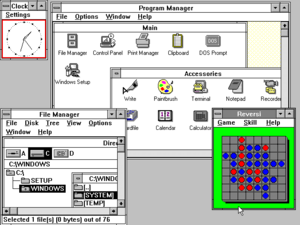
Windows 3.0, a graphical environment, is the third major release of Microsoft Windows, and was released on May 22, 1990. It
became the first widely successful version of Windows and a rival to Apple Macintosh and the Commodore Amiga on the graphical
user interface (GUI) front.
1. DOWNLOAD THE FILE.
2. PUT THE IMAGES ONTO THE FLOPPY, OR INTO THE VM SOFTWARE.
3. PUT THE FLOPPY IN, OR START THE VM SOFTWARE FROM THE IMAGES.
4. INSTALL WINDOWS.
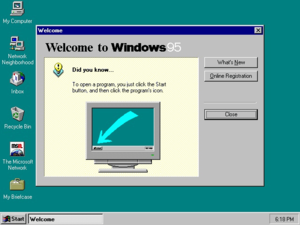
Windows 95 (codenamed Chicago) is a consumer-oriented operating system developed by Microsoft as part of its Windows 9x family
of operating systems. It is the successor to Windows 3.1x, and was released to manufacturing
on August 15, 1995, and generally to retail on August 24, 1995.
1. DOWNLOAD THE FILE.
2. PUT THE IMAGES ONTO A DISK, OR MOUNT/EXTRACT THE ISO FILE.
3. RUN SETUP.EXE.
4. INSTALL WINDOWS.
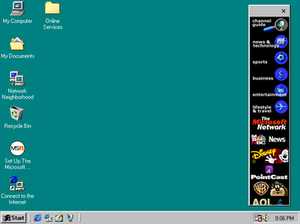
Windows 98 (codenamed Memphis) is a graphical operating system developed by Microsoft as part of its Windows 9x family of
operating systems. It is the successor to Windows 95, and was released to manufacturing on May 15, 1998.
1. DOWNLOAD THE FILE.
2. PUT THE IMAGES ONTO A DISK, OR MOUNT/EXTRACT THE ISO FILE.
3. RUN SETUP.EXE.
4. INSTALL WINDOWS.
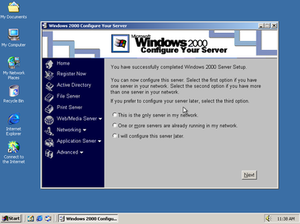
Windows 2000 is an operating system that was produced by Microsoft as part of the Windows NT family of operating systems. It was
released to manufacturing on December 15, 1999.
1. DOWNLOAD THE FILE.
2. PUT THE IMAGES ONTO A DISK, OR MOUNT/EXTRACT THE ISO FILE.
3. RUN SETUP.EXE.
4. INSTALL WINDOWS.
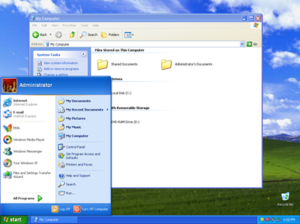
Windows XP is a personal computer operating system produced by Microsoft as part of the Windows NT family of operating systems.
It was released to manufacturing on August 24, 2001, and broadly released for retail sale on October 25, 2001.
1. DOWNLOAD THE FILE.
2. PUT THE IMAGES ONTO A DISK, OR MOUNT/EXTRACT THE ISO FILE.
3. RUN SETUP.EXE.
4. INSTALL WINDOWS.
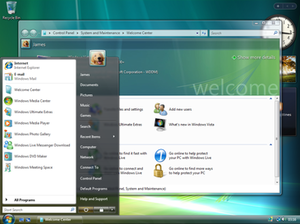
Windows Vista is an operating system that was produced by Microsoft for use on personal computers, including home and business
desktops, laptops, tablet PCs and media center PCs. Development was completed on November 8, 2006.
1. DOWNLOAD THE FILE.
2. PUT THE IMAGES ONTO A DISK, OR MOUNT/EXTRACT THE ISO FILE.
3. RUN SETUP.EXE.
4. INSTALL WINDOWS.
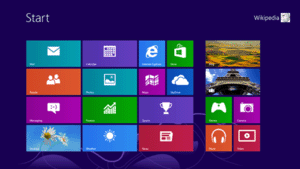
Windows 8 is a personal computer operating system that was produced by Microsoft as part of the Windows NT family of operating
systems. The operating system was released to manufacturing on August 1, 2012, with general availability on October 26, 2012.
1. DOWNLOAD THE FILE.
2. PUT THE IMAGES ONTO A DISK, OR MOUNT/EXTRACT THE ISO FILE.
3. RUN SETUP.EXE.
4. INSTALL WINDOWS.
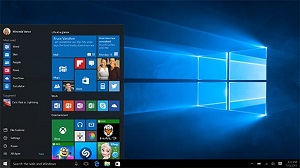
Windows 10 is a series of personal computer operating systems produced by Microsoft as part of its Windows NT family of operating
systems. It is the successor to Windows 8.1, and was released to manufacturing on July 15, 2015, and to retail on July 29, 2015.
1. DOWNLOAD THE FILE.
2. PUT THE IMAGES ONTO A DISK, OR MOUNT/EXTRACT THE ISO FILE.
3. RUN SETUP.EXE.
4. INSTALL WINDOWS.
Pro and Home RTM 32 and 64 bit
Pro and Home November Update 32 and 64 bit
Pro and Home Anniversary Update 32 and 64 bit
Pro and Home Creators Update 32 and 64 bit
Pro and Home Fall Creators Update 32 and 64 bit
Pro and Home April 2018 Update 32 bit
Pro and Home April 2018 Update 64 bit
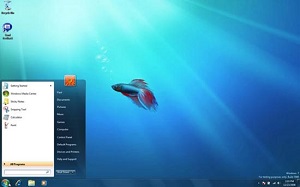
Beta, named after the second letter of the Greek alphabet, is the software development phase following alpha. Software in the beta
stage is also known as betaware. Beta phase generally begins when the software is feature complete but likely to contain a number of
known or unknown bugs.
1. DOWNLOAD THE FILE.
2. PUT THE IMAGES ONTO A DISK, OR MOUNT/EXTRACT THE ISO FILE.
3. RUN SETUP.EXE.
4. INSTALL WINDOWS.
Windows Whistler build 2410 32 bit
Windows Longhorn build 4008 32 bit
Windows Vista Beta 2 build 5270 32 bit
Windows 7 Pre-Milestone 1 build 6469 32 bit
Windows 7 Milestone 1 build 6519 32 bit
Windows 7 Milestone 2 build 6608 32 bit
Windows 7 Milestone 3 build 6801 32 bit
Windows 7 Milestone 3 build 6801 64 bit
Windows 7 Pre-Beta 1 build 6956 32 bit
Windows 7 Beta 1 build 7000 32 bit
Windows 7 Pre-RC1 build 7057 32 bit
Windows 8 Milestone 1 build 7850 32 bit
Windows 8 Milestone 1 build 7850 64 bit
Windows 8 Pre-Developer Preview build 8056 32 bit
Windows 8 Developer Preview build 8102 32 bit
Windows 8 Consumer Preview build 8250 32 bit
Windows 8 Consumer Preview build 8250 64 bit
Windows 8 Release Preview build 8400 32 bit
Windows 8 Release Preview build 8400 64 bit
________________________________
Supported - Perfectly safe to install on any machine.
________________________________
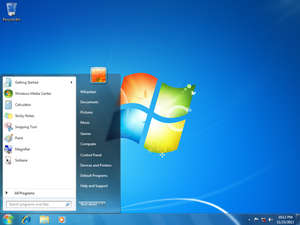
Windows 7 is a personal computer operating system that was produced by Microsoft as part of the Windows NT family of operating
systems. It was released to manufacturing on July 22, 2009 and became generally available on October 22, 2009, less than three years
after the release of its predecessor, Windows Vista.
1. DOWNLOAD THE FILE.
2. PUT THE IMAGES ONTO A DISK, OR MOUNT/EXTRACT THE ISO FILE.
3. RUN SETUP.EXE.
4. INSTALL WINDOWS.
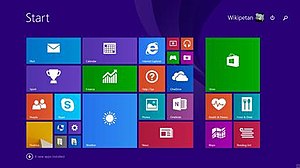
Windows 8.1 is a personal computer operating system that was produced by Microsoft and released as part of the Windows NT family
of operating systems. It was released to manufacturing on August 27, 2013, and reached general availability on October 17, 2013,
about a year after the retail release of its predecessor.
1. DOWNLOAD THE FILE.
2. PUT THE IMAGES ONTO A DISK, OR MOUNT/EXTRACT THE ISO FILE.
3. RUN SETUP.EXE.
4. INSTALL WINDOWS.
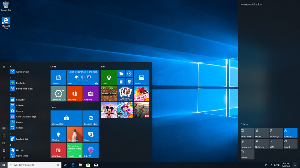
Windows 10 is a series of personal computer operating systems produced by Microsoft as part of its Windows NT family of operating
systems. It is the successor to Windows 8.1, and was released to manufacturing on July 15, 2015, and to retail on July 29, 2015.
Windows 10 receives new builds on an ongoing basis, which are available at no additional cost to users.
1. DOWNLOAD THE FILE.
2. PUT THE IMAGES ONTO A DISK, OR MOUNT/EXTRACT THE ISO FILE.
3. RUN SETUP.EXE.
4. INSTALL WINDOWS.
Pro and Home October 2018 Update 32 bit
Pro and Home October 2018 Update 64 bit
Enterprise Evaluation October 2018 Update 32 bit
Enterprise Evaluation October 2018 Update 64 bit
Pro and Home May 2019 Update 32 bit
Pro and Home May 2019 Update 64 bit
Enterprise Evaluation May 2019 Update 32 bit
Enterprise Evaluation May 2019 Update 64 bit
Pro and Home November 2019 Update 32 bit
Pro and Home November 2019 Update 64 bit
 ISOBook Classic View